
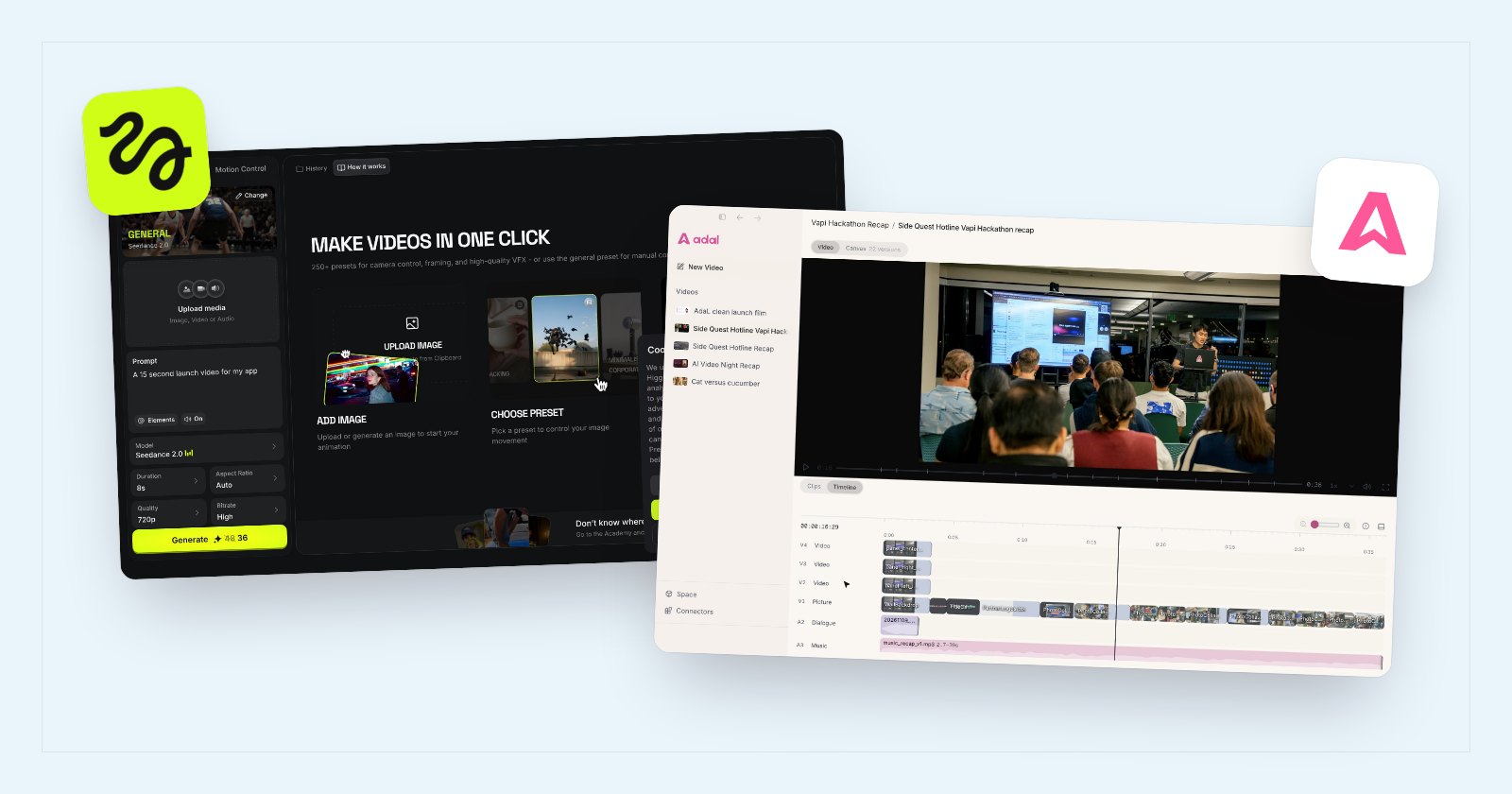
Do you want a website full of AI generators, or one agent that makes the whole video with you? That is the real choice between Higgsfield and AdaL.
Both give you the top image, video and voice models under one subscription, so you do not pay five companies. The difference is where the work happens, how many decisions you face before anything is made, and what you can do with the video once it exists. We checked both on 16 November 2026, with the screenshots below.
Key takeaways
- Where it runs: Higgsfield is a website, and its unlimited plans only work there. AdaL is an app on your computer, so the agent works in a folder you choose.
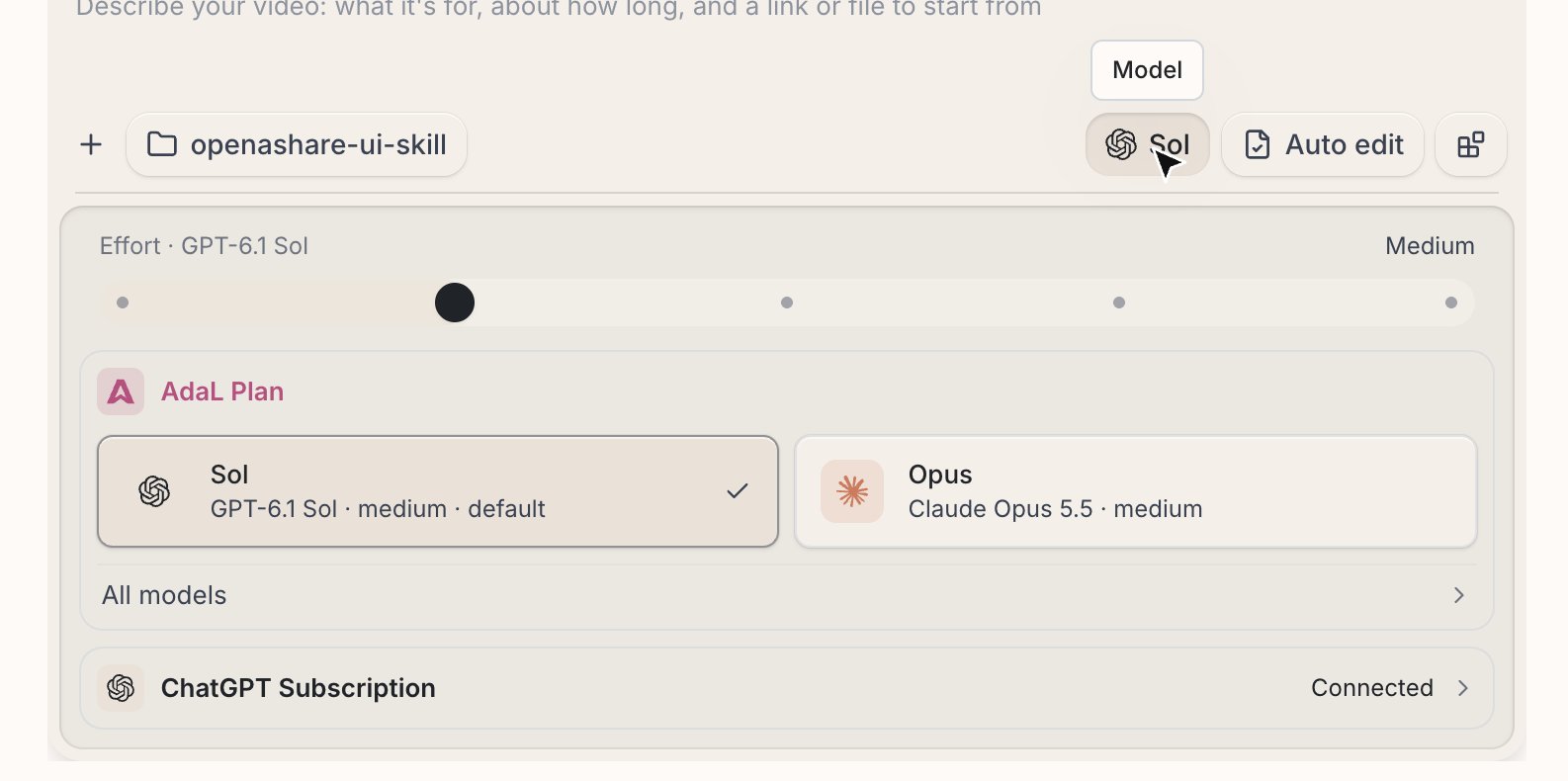
- One subscription: both bundle many models. AdaL also lets you sign in with the ChatGPT plan you already pay for.
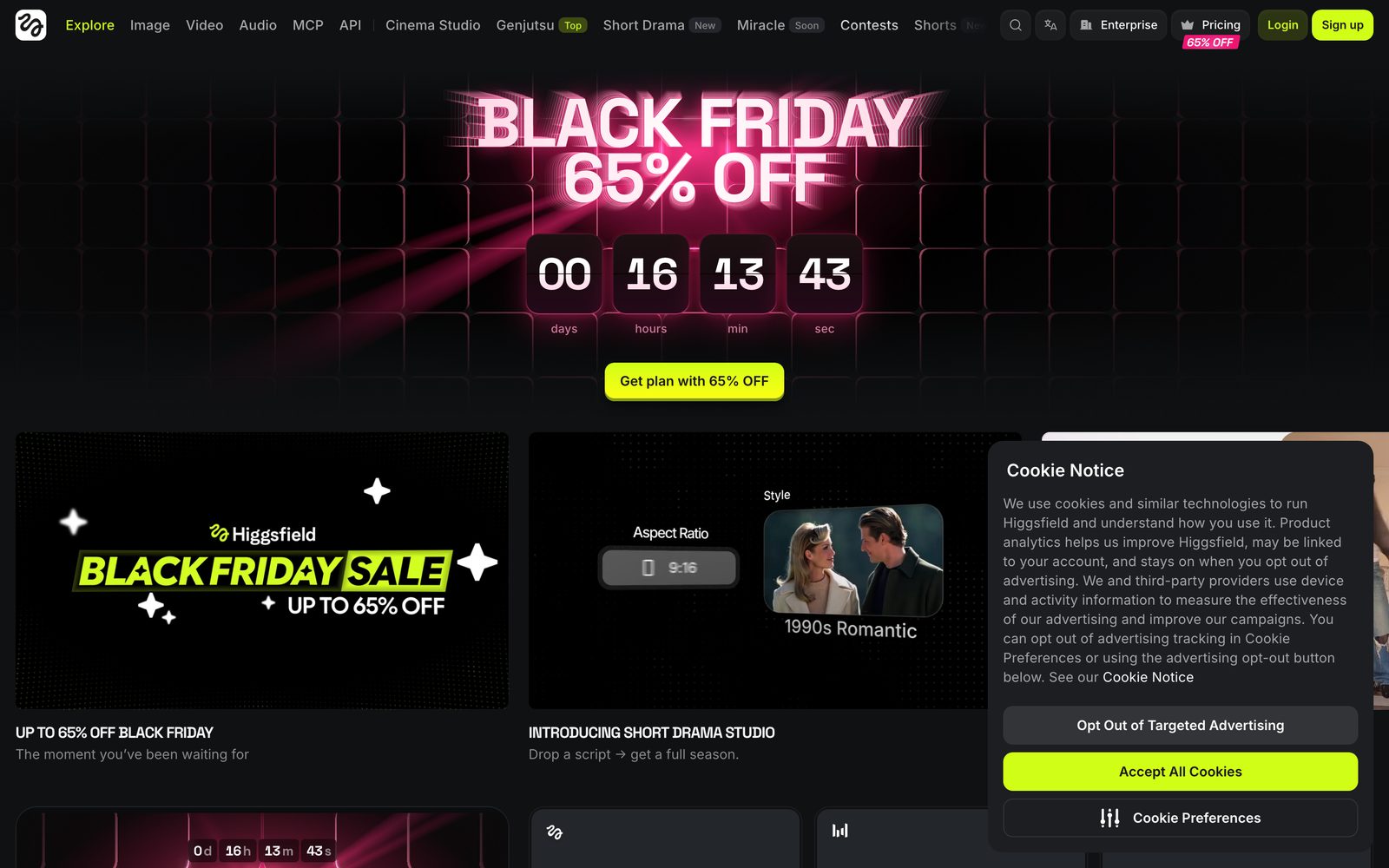
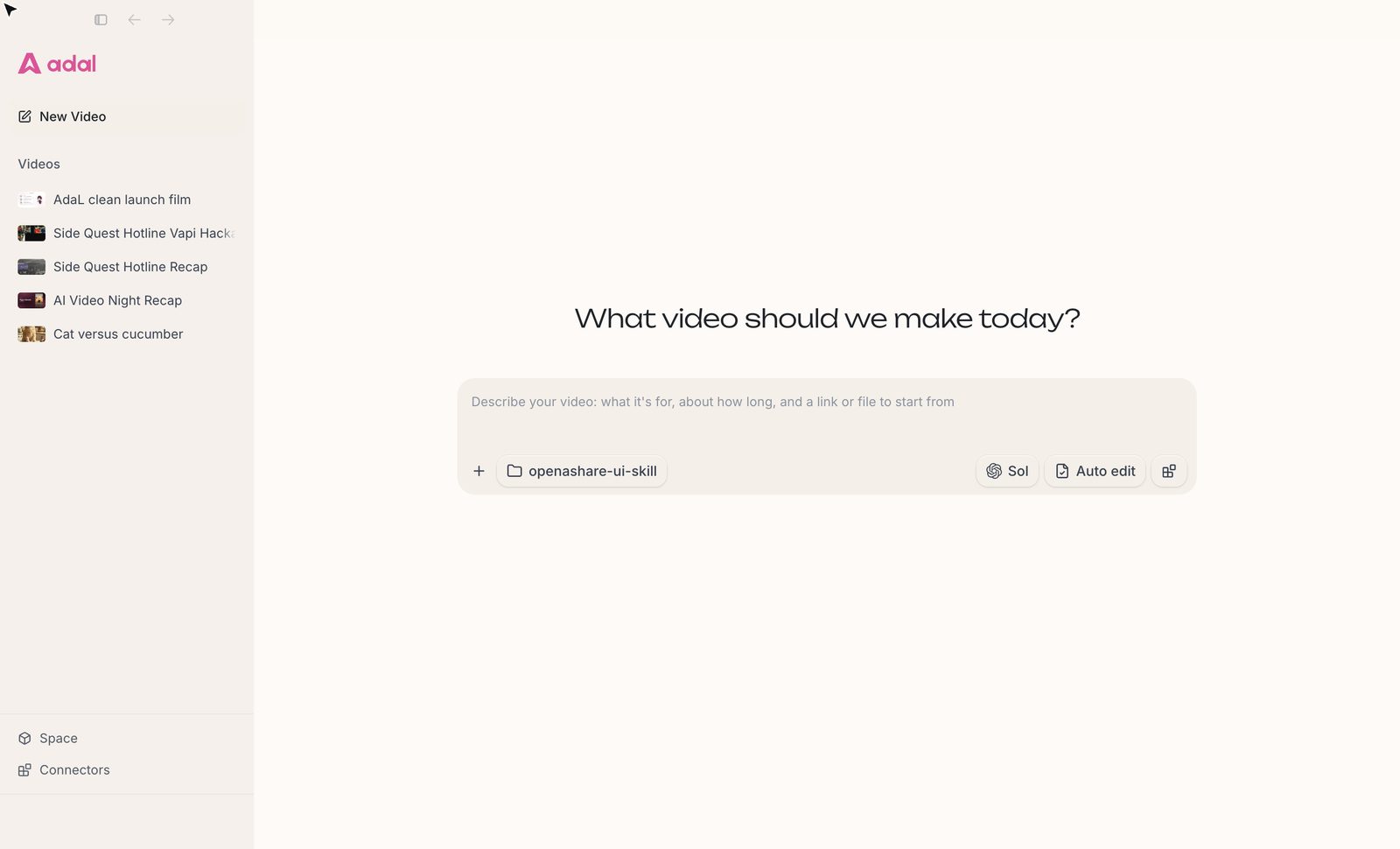
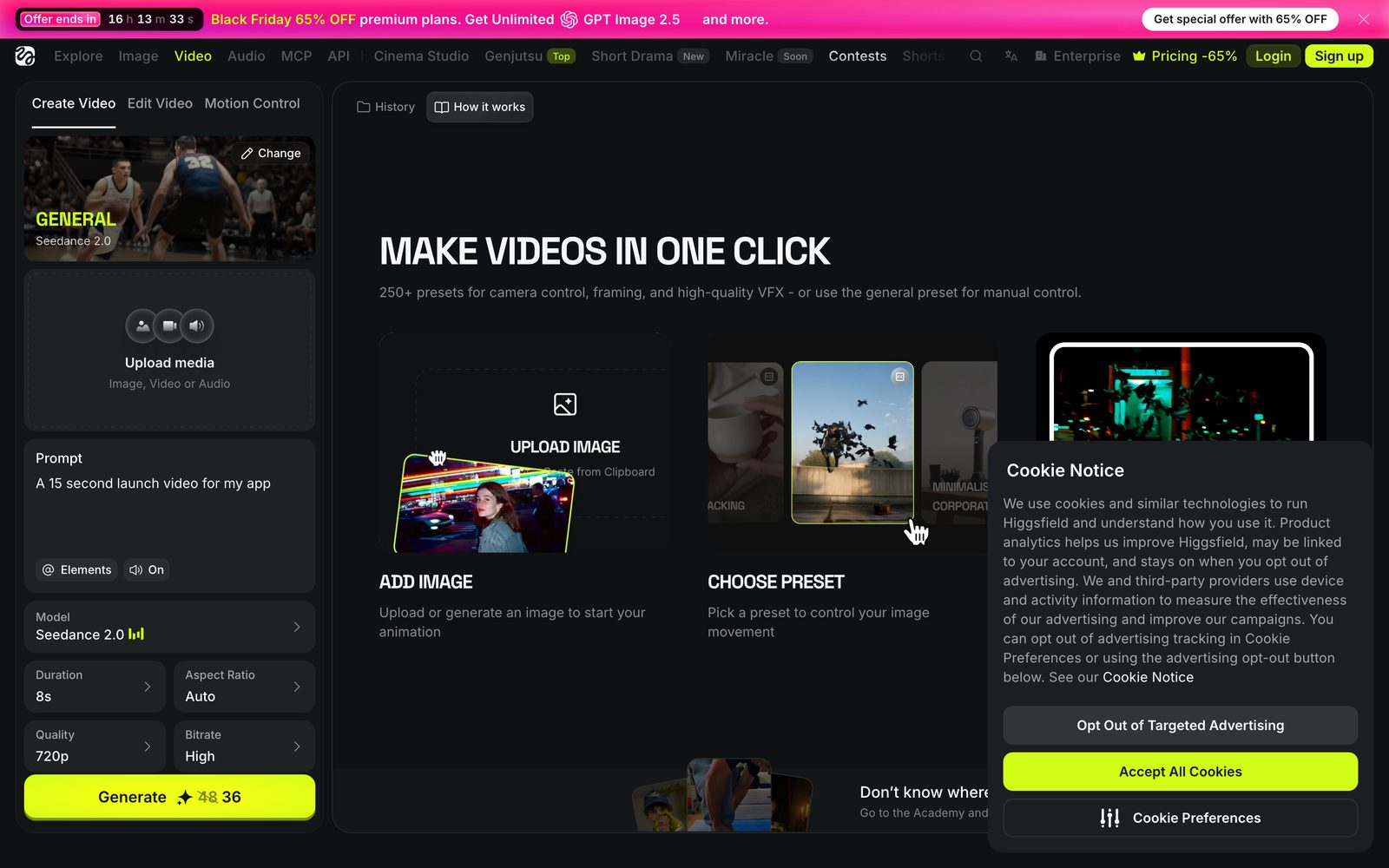
- Getting started: Higgsfield opens on about 20 menu items, a sale banner and 250+ presets. AdaL opens on one box that asks what video you want.
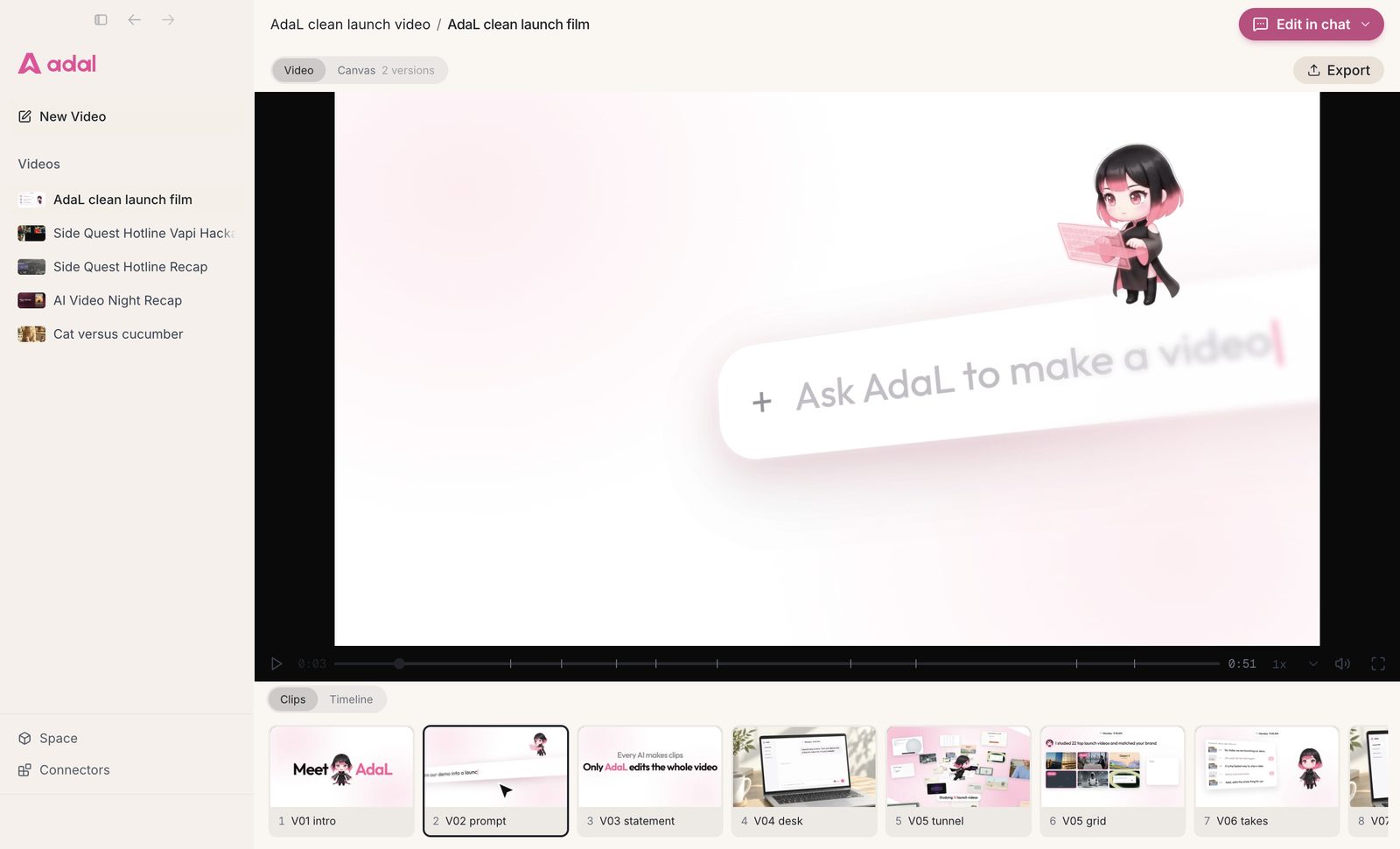
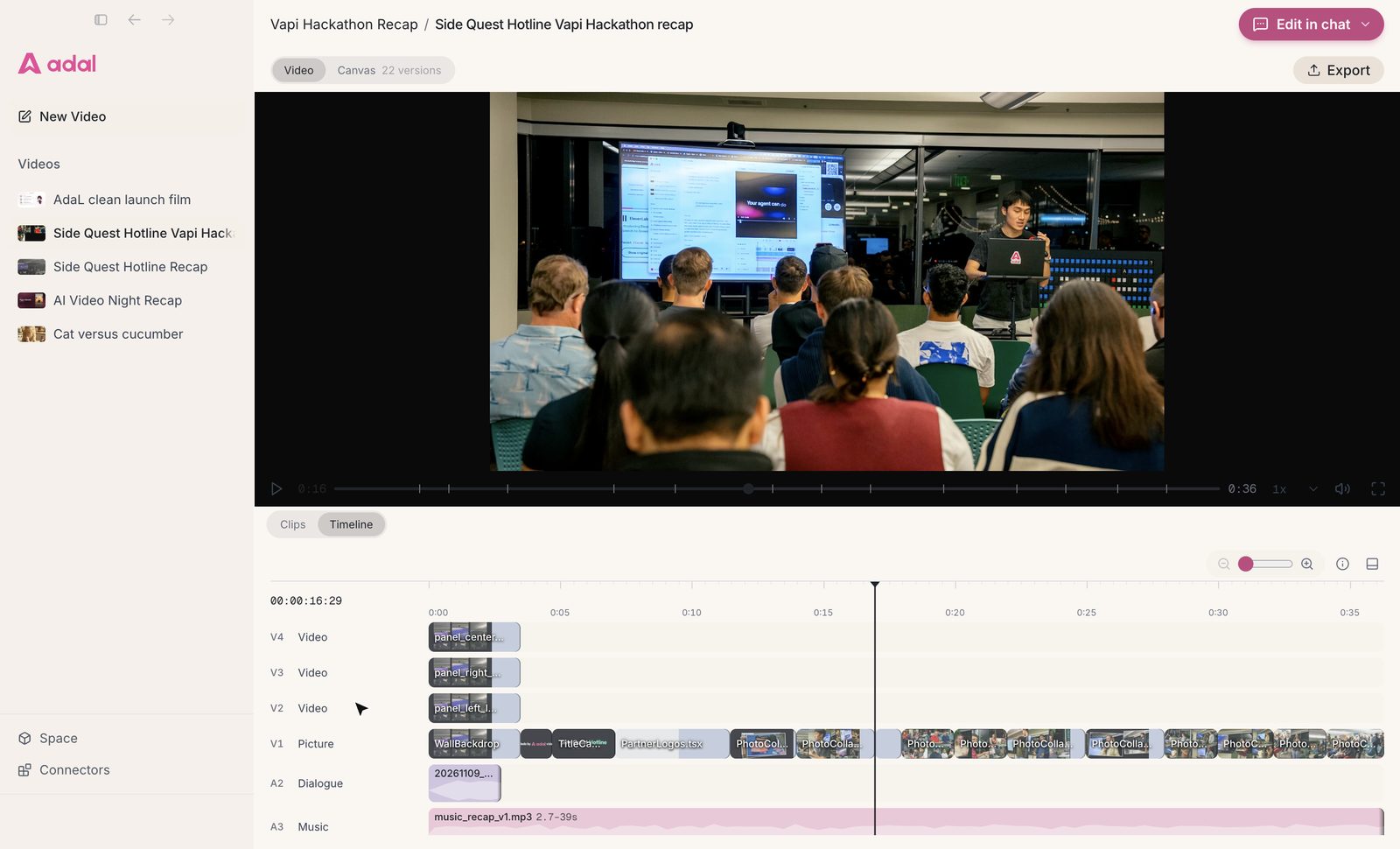
- Editing: AdaL shows the whole video with its clips, a timeline (picture, music, effects) and earlier versions. Higgsfield edits one clip at a time with a prompt.
- Who it suits: Higgsfield suits creators who want to try many generators and cinematic presets. AdaL suits founders, marketers and other non-technical people who need a finished video.
What is Higgsfield?
 What is Higgsfield?
Higgsfield is a web platform for AI image and video generation. It brings many models into one place (Seedance, Kling, Nano Banana Pro, GPT Image and others) and adds its own tools on top: Cinema Studio, Shorts, Ads Studio, Short Drama, an image and video editor, and Supercomputer, its chat agent.
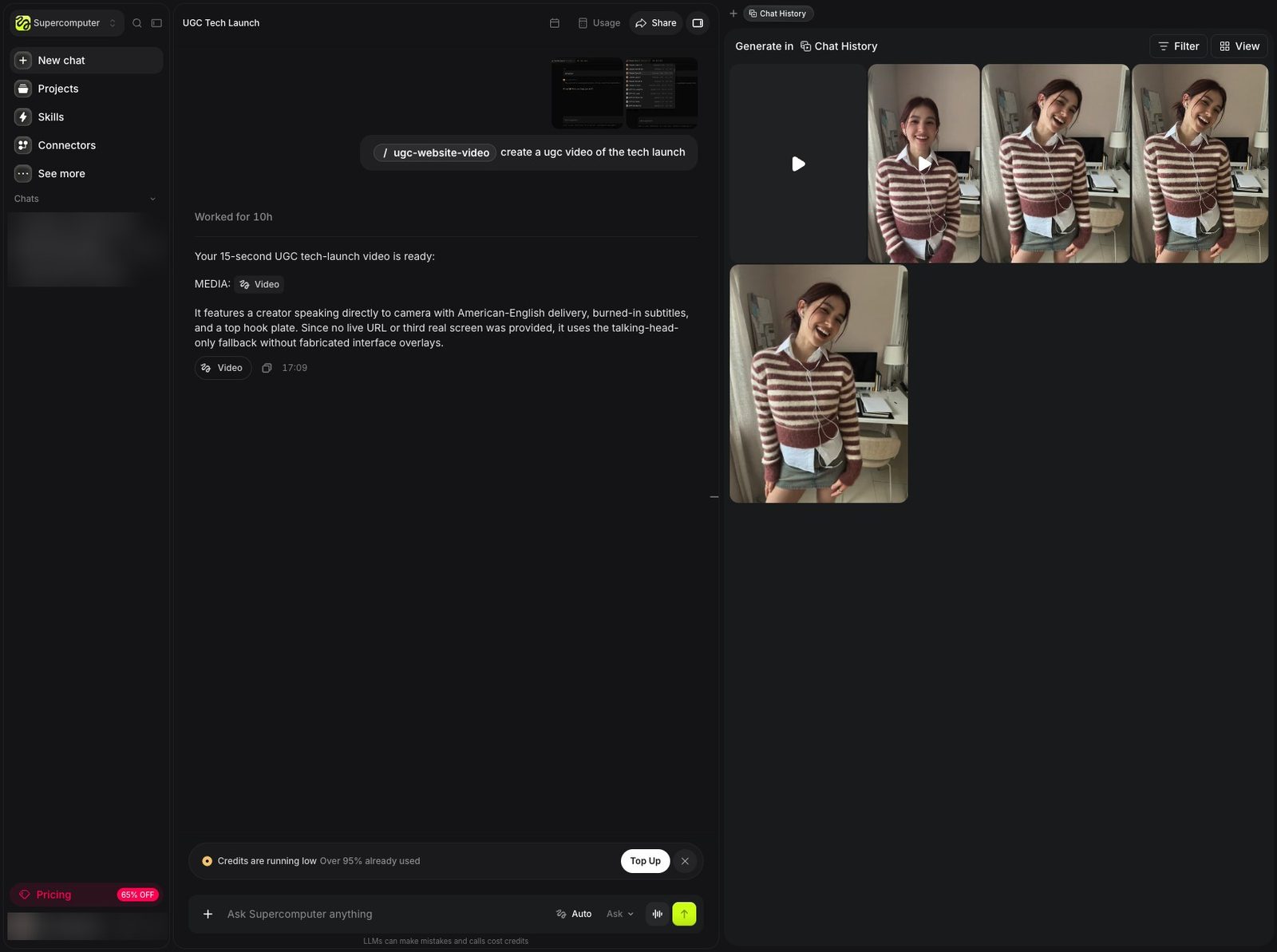
Supercomputer is the closest thing to AdaL. You chat with it, it picks skills and models, and the results appear in a media panel next to the chat.
What is AdaL?
 What is AdaL?
AdaL is the best agentic video editor, helping you make impressive videos to take your product to market. It is a desktop app for Mac, Windows and Linux. You describe the video, AdaL plans it, makes or finds each piece (footage, images, voice, music, captions), edits them together, and shows you the cut to change.
Feature comparison
| Feature | Higgsfield | AdaL |
|---|---|---|
| Where it runs | In the browser on higgsfield.ai | An app on your computer, working in a folder you choose |
| One subscription for many models | Yes, paid in credits | Yes, on the AdaL plans |
| Use your ChatGPT plan | No | Yes, sign in with your ChatGPT subscription |
| How you start a video | Pick a tool, a model, a preset and settings, then write a prompt | Describe the video in one message |
| Agent | Supercomputer (chat, skills, connectors) | AdaL is the agent; it plans, makes and edits |
| Video editing view | Prompt edits on one clip; results in a media panel | The whole video: clips, a timeline with picture, music and effects tracks, Export |
| Your files | Stored in your Higgsfield account | Normal files in your folder: every clip, image, voice and music file |
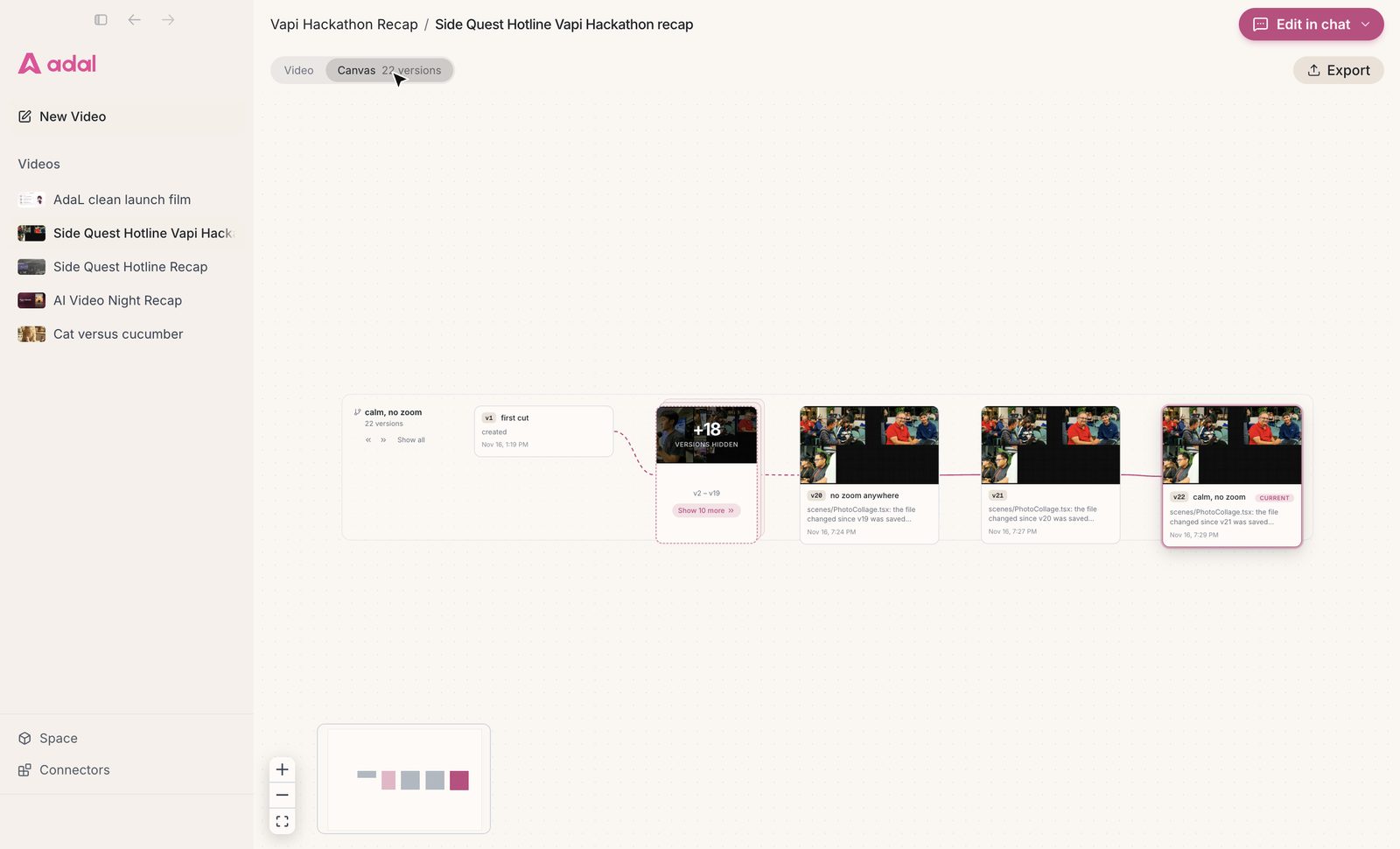
| Versions | A history of generations | Each cut saved as a version you can go back to |
| Best for | Trying many generators and cinematic presets | A finished video from a description, for non-technical people |
Pricing comparison
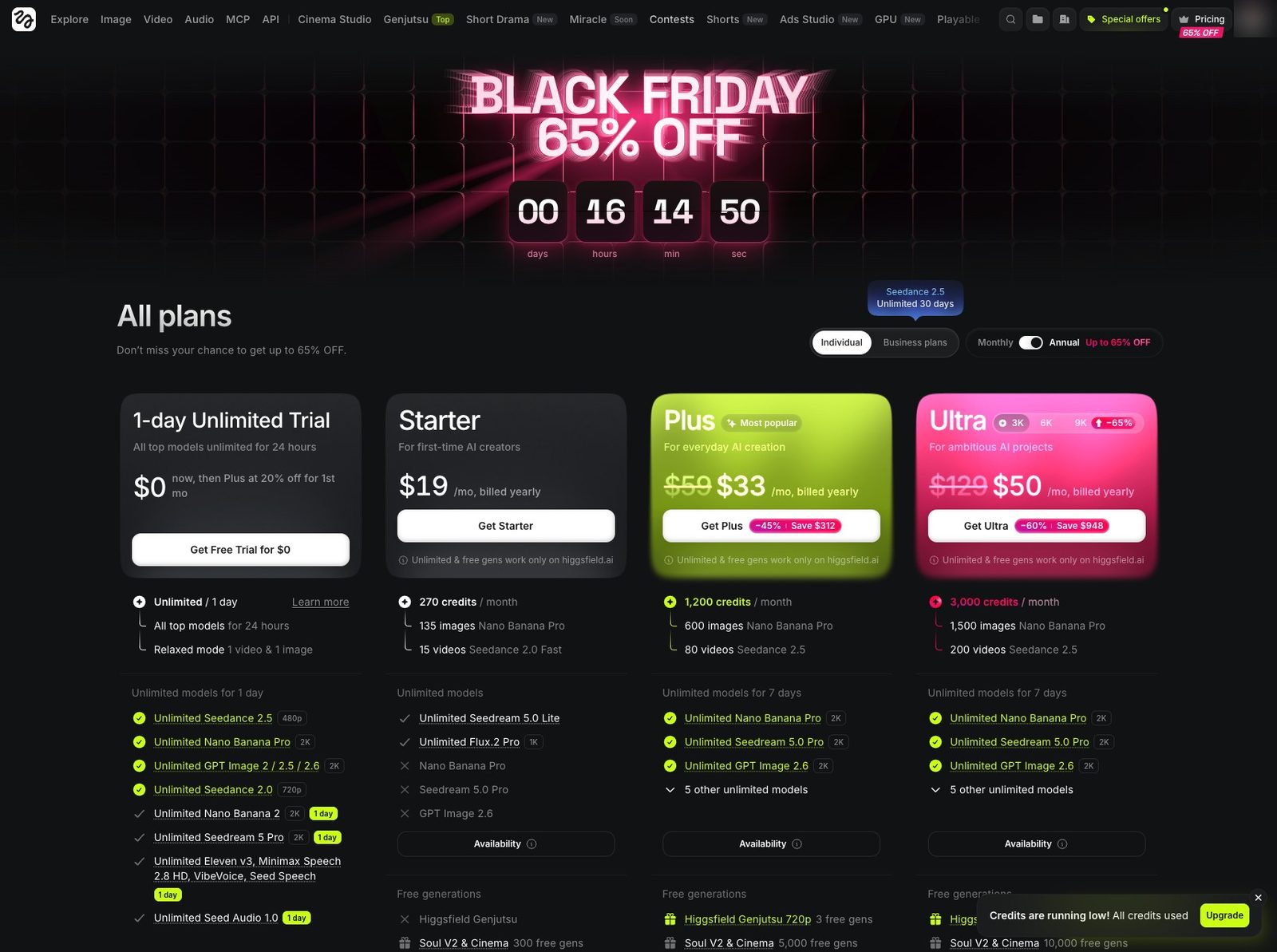
Higgsfield (pricing, checked 16 November 2026, billed yearly):
- Starter: $19 a month, 270 credits a month.
- Plus: $59 a month, 1,200 credits a month ($33 during its November sale).
- Ultra: $129 a month, 3,000 credits a month ($50 during its November sale).
- Its pricing page says unlimited models and free generations "are accessible only via higgsfield.ai and are not accessible on MCP/CLI, Canvas or Supercomputer".
AdaL (pricing): start free, then Pro ($20 a month), Max ($100 a month) or Max+ ($200 a month). Every plan includes chat, image, audio and video models. You can also connect the ChatGPT plan you already have.
How AdaL differs from Higgsfield
It runs on your computer
Higgsfield lives in a browser tab, and its best plan features only work on its website. AdaL is a desktop app: the agent runs on your machine and works in a folder you pick. Your footage, logos and screen recordings are already there, and everything AdaL makes lands next to them as normal files.
A clean start instead of a menu of tools
To make a video on Higgsfield, you first choose a tool, then a model, a preset from more than 250, and six settings (model, duration, aspect ratio, quality, bitrate, sound). AdaL asks one question: what video should we make today? You answer in plain words, and the agent makes those choices for you.
You edit the whole video, not one clip
A product video is not one generated clip. It is an intro, a demo, captions, music and an ending, cut together. AdaL shows the whole video as clips you can jump between, and a timeline with separate picture, music and effects tracks. Ask for a change in chat ("shorten the intro", "swap the music") and the cut updates.
Every asset and every version stays yours
Each cut AdaL makes is saved as a version, so you can compare the first cut with the latest one, or go back. Because the work is in your folder, you can open any clip, image or music file in another app, or hand the folder to a teammate.
Bring the ChatGPT plan you already pay for
If you already pay for ChatGPT, you can sign in with it in AdaL and use it for the agent, next to the models in your AdaL plan.
Which one should you choose?
- Choose Higgsfield if you are a creator who wants to try many generators, cinematic camera presets and effects on single shots, and you are happy working in the browser.
- Choose AdaL if you need a finished video (a launch film, a product demo, a UGC ad, an event recap) and want one agent to make and edit it, with your files on your own computer.
Conclusion
Higgsfield is a strong place to generate shots, with a very wide choice of models and presets. AdaL is built for the step after that: turning a description into a whole, edited video that you can change in plain words. If that is the job, try AdaL on your own footage.
Questions
Is AdaL a Higgsfield alternative?
For making finished videos, yes. Both give you many AI models under one subscription. AdaL adds an agent that plans and edits the whole video on your computer, with clips, a timeline and versions.
Does Higgsfield have a timeline editor?
In our check on 16 November 2026, Higgsfield edited single clips with a prompt and showed results in a media panel. We did not find a multi-track timeline. AdaL has one, with picture, music and effects tracks.
Can I use my ChatGPT subscription?
In AdaL, yes: you can sign in with your ChatGPT plan and use it for the agent. Higgsfield does not offer this.
Which is easier for someone who is not technical?
AdaL asks one question and makes the choices for you. Higgsfield asks you to pick a tool, a model, a preset and several settings first, which suits people who want that control.
Where are my files stored?
Higgsfield keeps your generations in your account on its website. AdaL saves every clip, image, voice and music file as normal files in the folder you work in.
Try AdaL on your own footage
Start free. Describe the edit, and AdaL does the steps.