
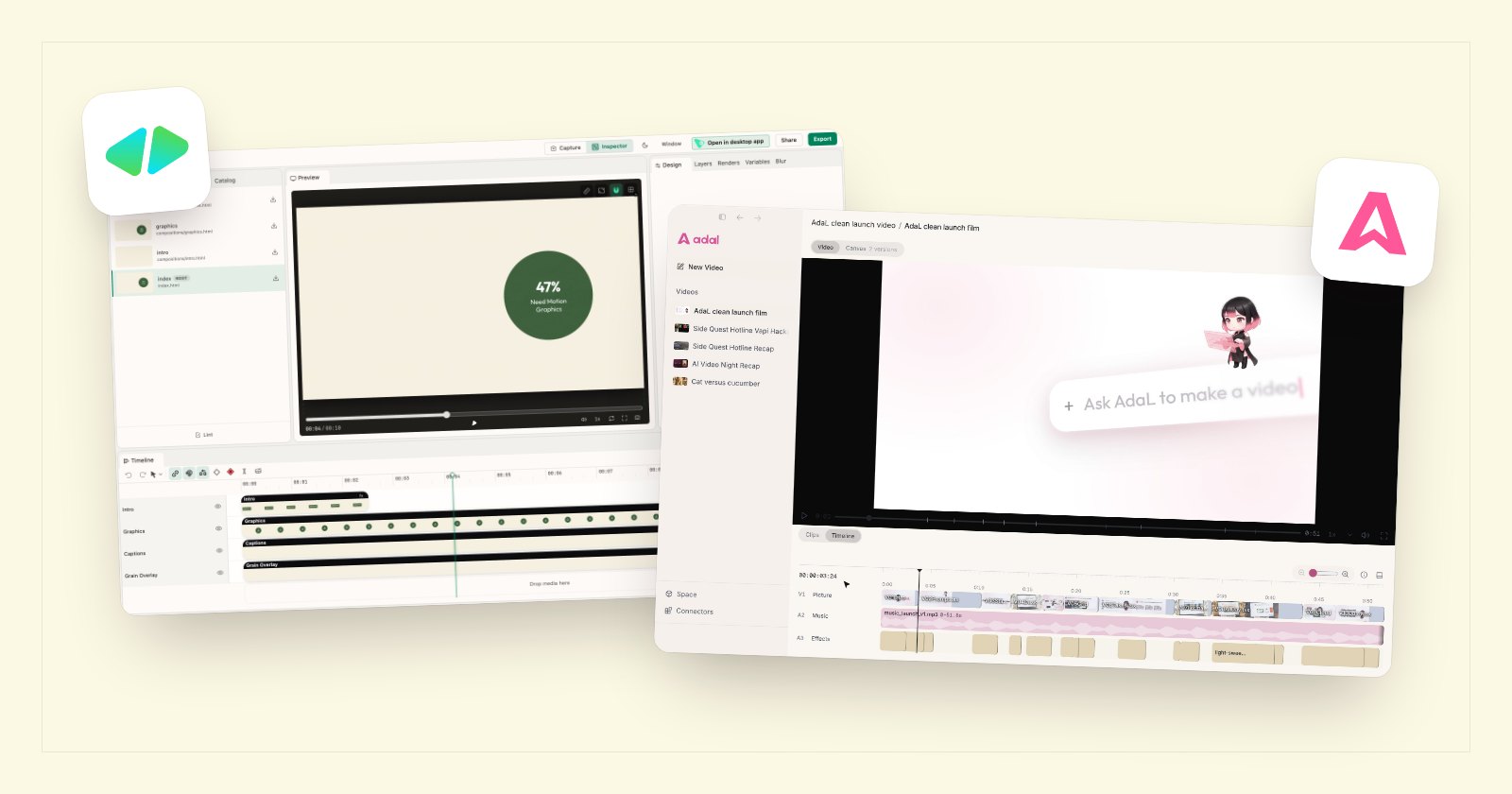
Do you want a video framework your coding agent can drive, or a video agent you can just talk to? That is the choice between HyperFrames and AdaL.
HyperFrames is HeyGen's open-source framework that turns HTML into MP4 video, built for AI coding agents. AdaL is a desktop app with its own agent that makes and edits the whole video. We installed HyperFrames, made and rendered a video with it on 16 November 2026, and took the screenshots below.
Key takeaways
- What it is: HyperFrames is a free, open-source framework (Apache 2.0) for developers and their agents. AdaL is a finished app for anyone.
- The agent: HyperFrames works through the agent you bring (Claude Code, Codex, Cursor, Gemini CLI and others), each billed by its own company, unless you pay $25 a month for HyperFrames Pro. AdaL has its agent and models in one plan, and can use your ChatGPT plan.
- Getting started: the HyperFrames command line needs Node.js 22 and FFmpeg; its desktop app needs a HeyGen sign-in and a connected agent. AdaL is one install and one box to type in.
- Rendering: in HyperFrames the video is HTML until you run a render step (frames drawn in headless Chrome, then encoded). In AdaL you watch and edit the cut in the app, and Export is one button.
- Who it suits: HyperFrames suits developers who want videos as code. AdaL suits founders, marketers and other non-technical people.
What is HyperFrames?
 What is HyperFrames?
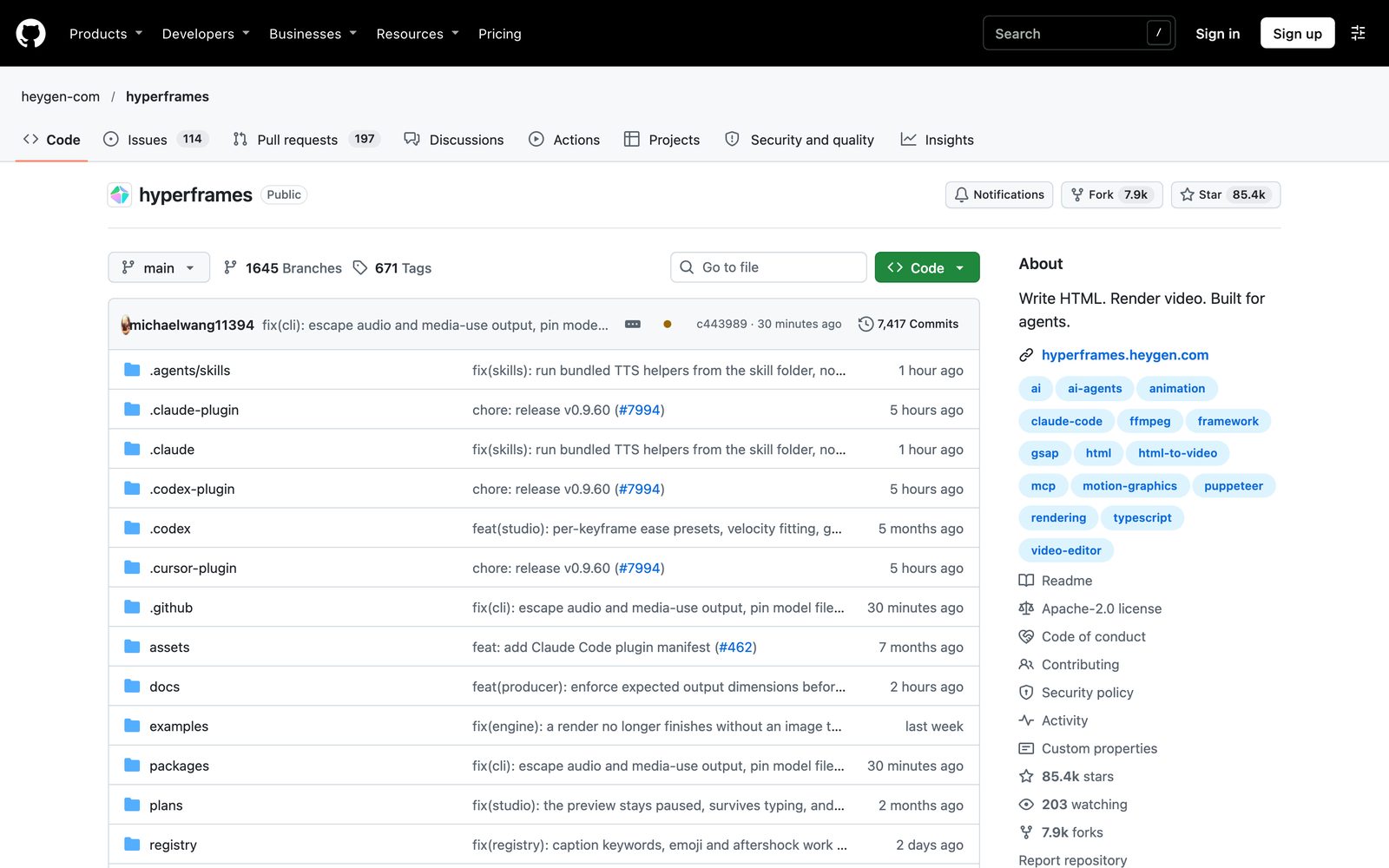
HyperFrames describes itself as "Write HTML. Render video. Built for agents." A video is a web page: HTML, CSS and animations with timing attributes. Your coding agent writes that page using HyperFrames skills, and the renderer turns it into an MP4. It is made by HeyGen, licensed Apache 2.0, and had about 85,400 GitHub stars when we checked.
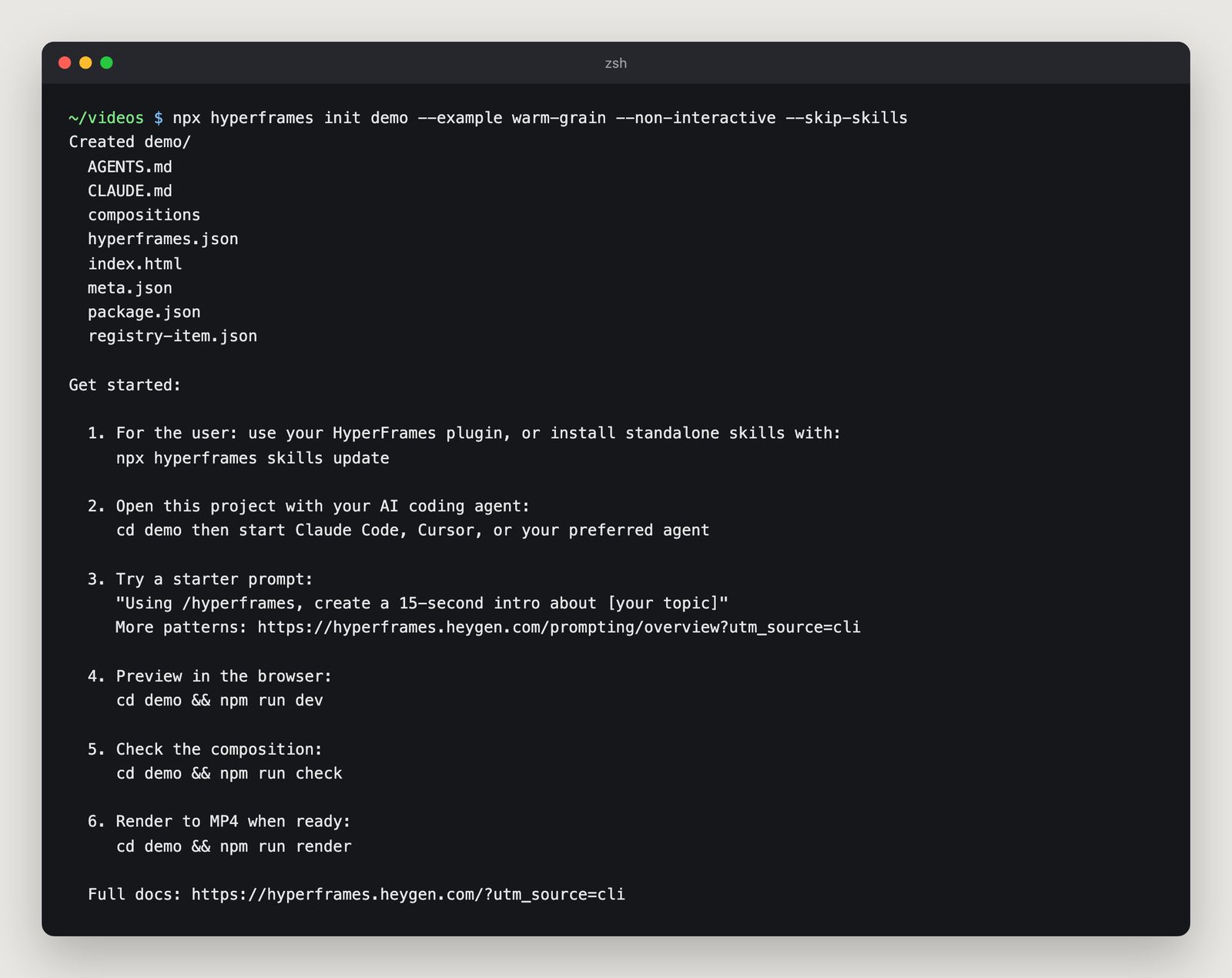
The command line path starts with "npx hyperframes init", then you open the project in your coding agent and ask for the video.
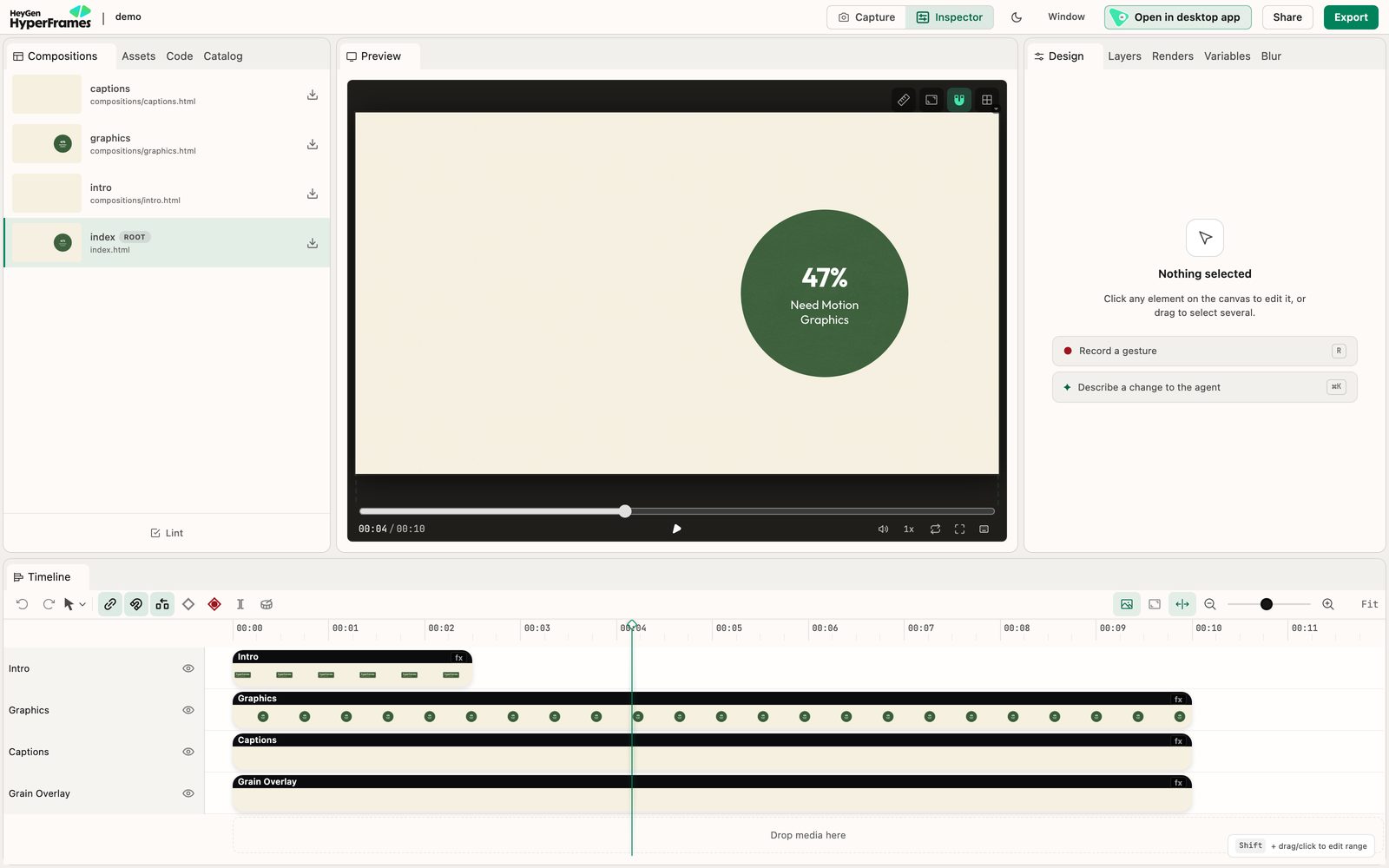
HyperFrames also has a browser Studio ("npx hyperframes preview") with a preview, a timeline and a box to describe changes to your agent, and a free desktop app that runs your agent beside a live preview.
What is AdaL?
 What is AdaL?
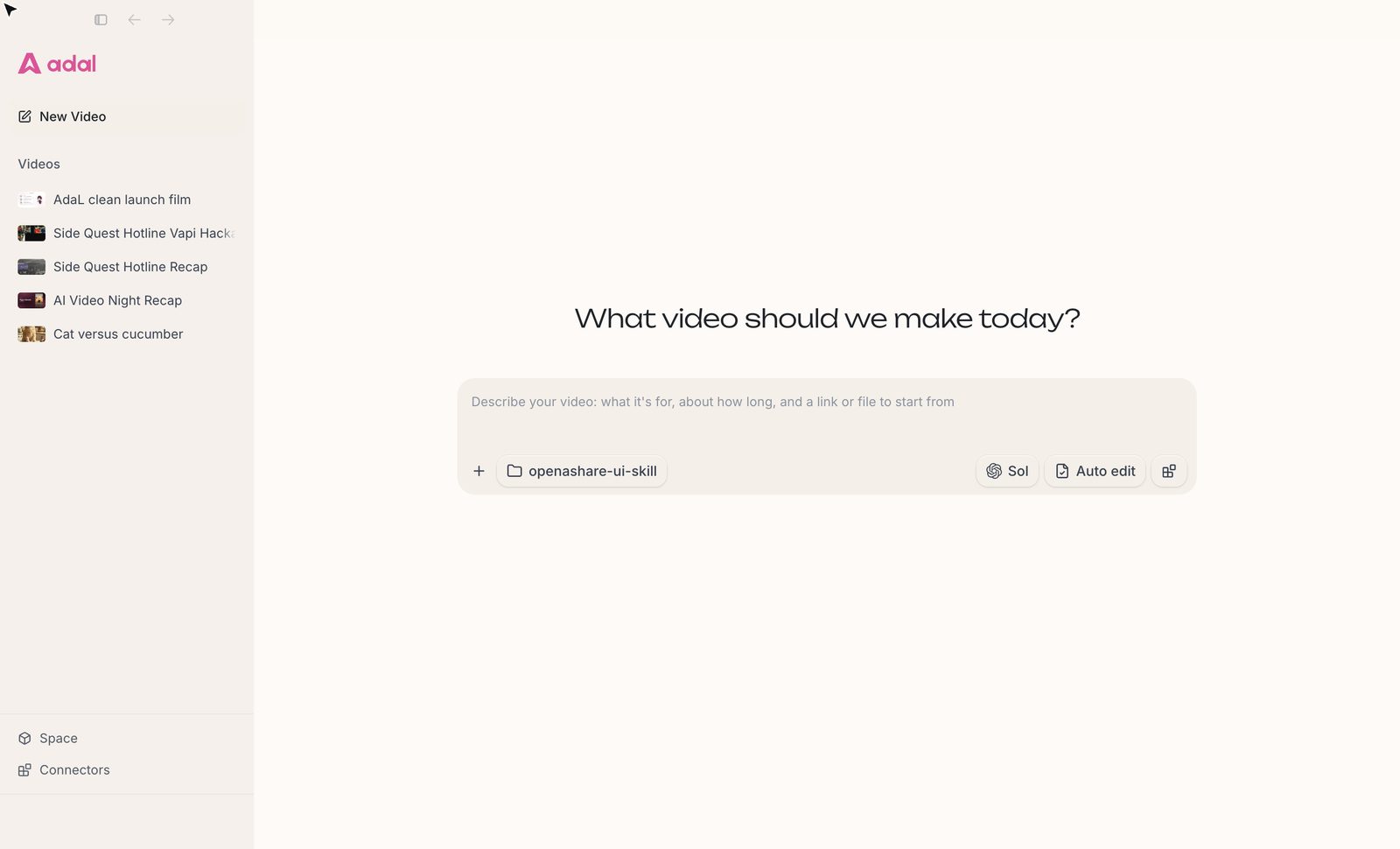
AdaL is the best agentic video editor, helping you make impressive videos to take your product to market. It is a desktop app for Mac, Windows and Linux with its own agent. You describe the video, and AdaL plans it, makes or finds each piece (footage, images, voice, music, captions), edits them together, and shows you the cut to change.
Feature comparison
| Feature | HyperFrames | AdaL |
|---|---|---|
| What it is | Open-source framework: HTML in, MP4 out | Desktop app with its own video agent |
| Agent | Bring your own (Claude Code, Codex, Cursor, Gemini CLI and others), or Pro's built-in agent | Built in |
| What one subscription covers | Free framework; agent billed by its vendor; Pro $25 a month adds agent and models | Agent, image, video, voice and music models in one plan |
| Use your ChatGPT plan | Through an agent that supports it, such as Codex | Yes, sign in with your ChatGPT subscription |
| Setup | Command line: Node.js 22 and FFmpeg. Desktop app: HeyGen sign-in plus an agent | Install the app and type |
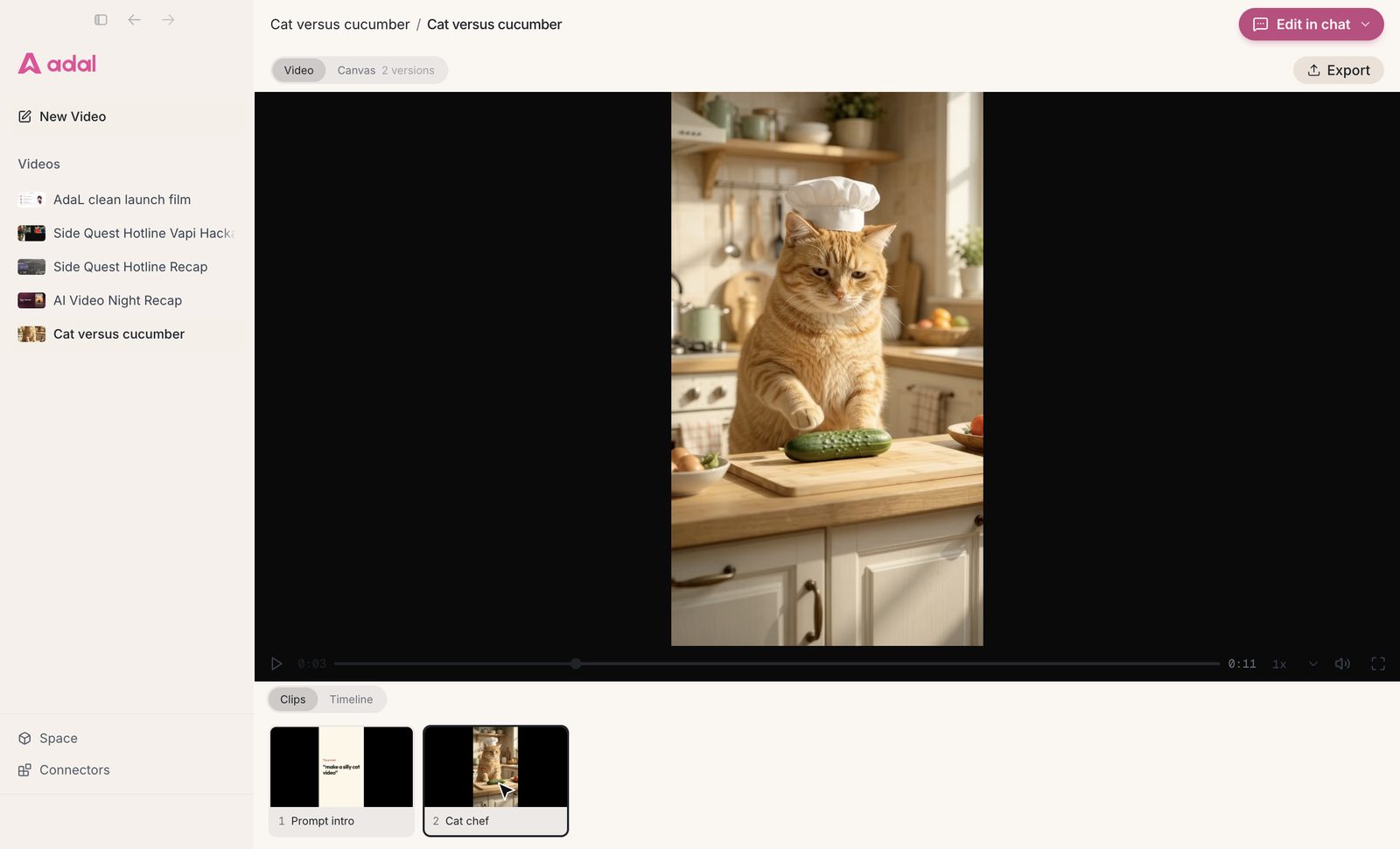
| Video editing view | Studio with preview, timeline and inspector | Video view with clips, a timeline (picture, music, effects) and Export |
| Getting the MP4 | A separate render step: each frame drawn in headless Chrome, then encoded with FFmpeg | Watch the cut in the app; Export is one button |
| Versions | Your own (for example, git) | Each cut saved as a version you can go back to |
| Best for | Developers who want videos as code | Non-technical people who need a finished video |
Pricing comparison
- HyperFrames framework: free and open source, "no per-render fees".
- Your agent: when you use Claude Code, Codex, Cursor or similar, that company bills you for it.
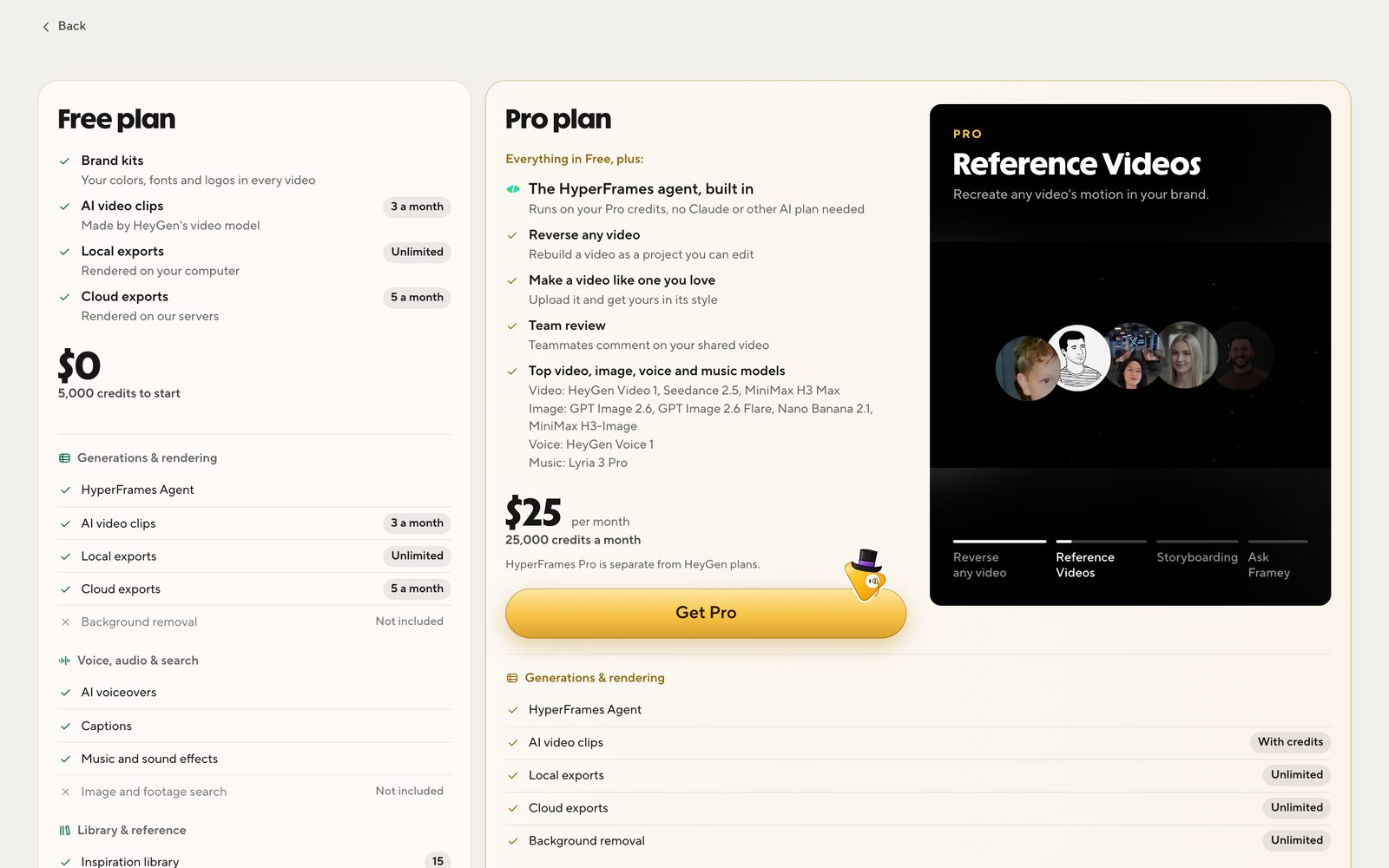
- HyperFrames Free plan: $0, 5,000 credits to start, 3 AI video clips a month, unlimited local exports (pricing, checked 16 November 2026).
- HyperFrames Pro: $25 a month, 25,000 credits a month, a built-in agent ("no Claude or other AI plan needed") and generation models. It is separate from HeyGen plans.
- AdaL: start free, then Pro ($20 a month), Max ($100 a month) or Max+ ($200 a month), each with chat, image, audio and video models included. You can also connect your ChatGPT plan (pricing).
How AdaL differs from HyperFrames
One app and one plan, instead of a stack you assemble
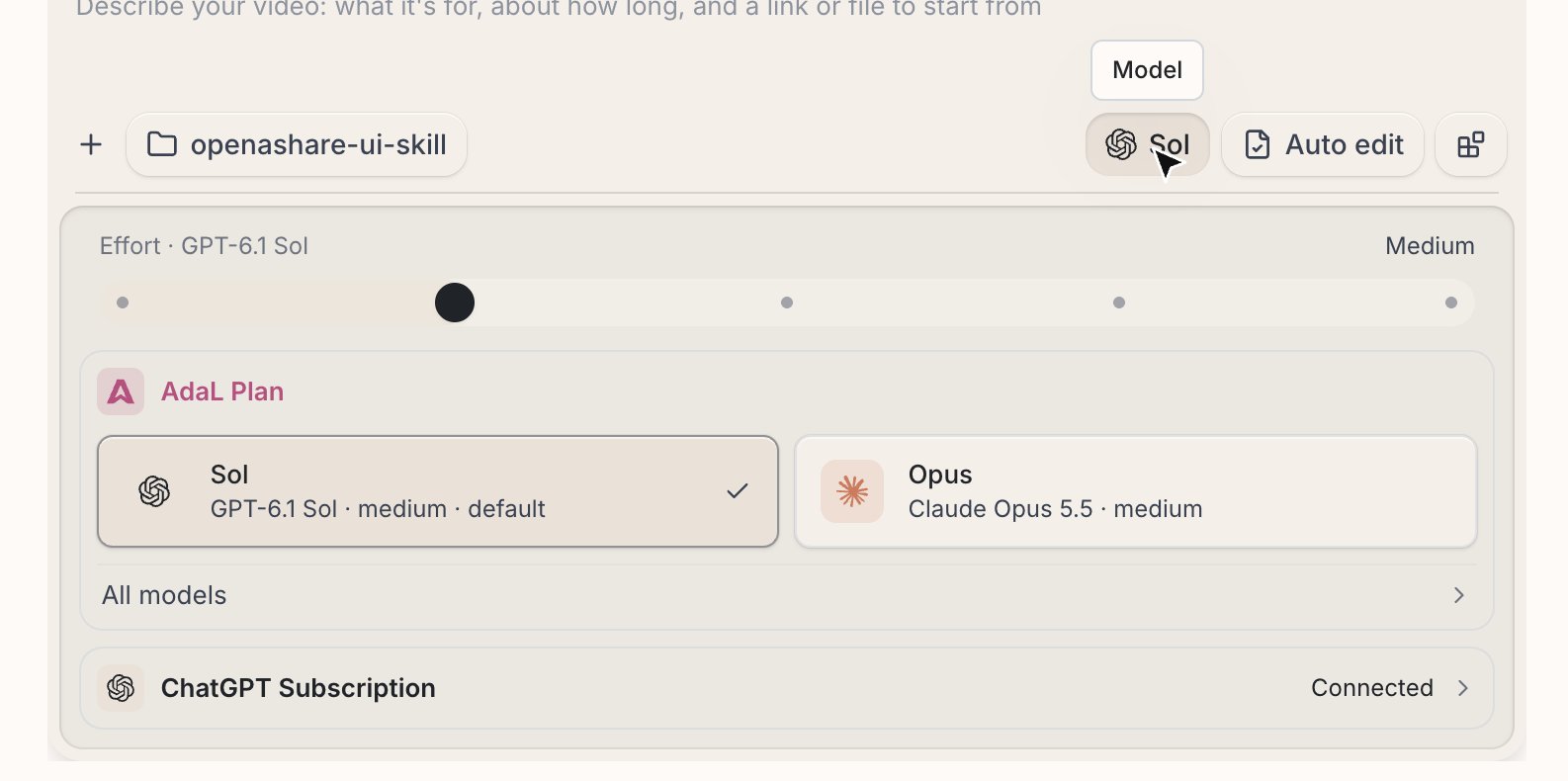
HyperFrames is designed to work with many agent harnesses. That is great for developers who already live in Claude Code or Codex, but it means you pick an agent, install it, sign in, pay for it, and add the HyperFrames skills. AdaL is the harness, the agent and the models in one app, under one subscription. If you already pay for ChatGPT, you can sign in with it too.
No waiting on a render step to see the video
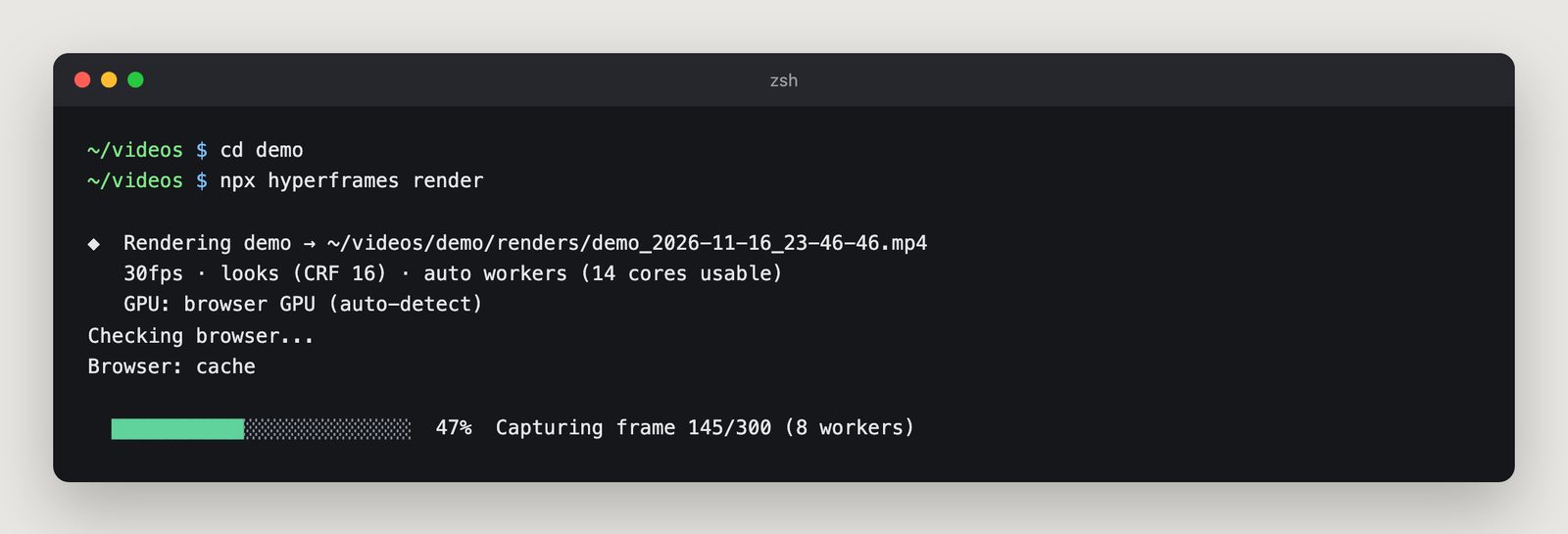
A HyperFrames video is a web page until you render it. The renderer steps through every frame in headless Chrome, then FFmpeg encodes the MP4. On our M4 Pro MacBook, a 10-second 1080p sample took 10.1 seconds to render; HeyGen's own docs say a 12-second video took about 16 seconds on a MacBook. Longer videos take longer, and every change means another render.
In AdaL, the cut plays in the app as soon as its pieces are made. You review it, ask for changes, and press Export when you are happy.
An editing view made for people, not code
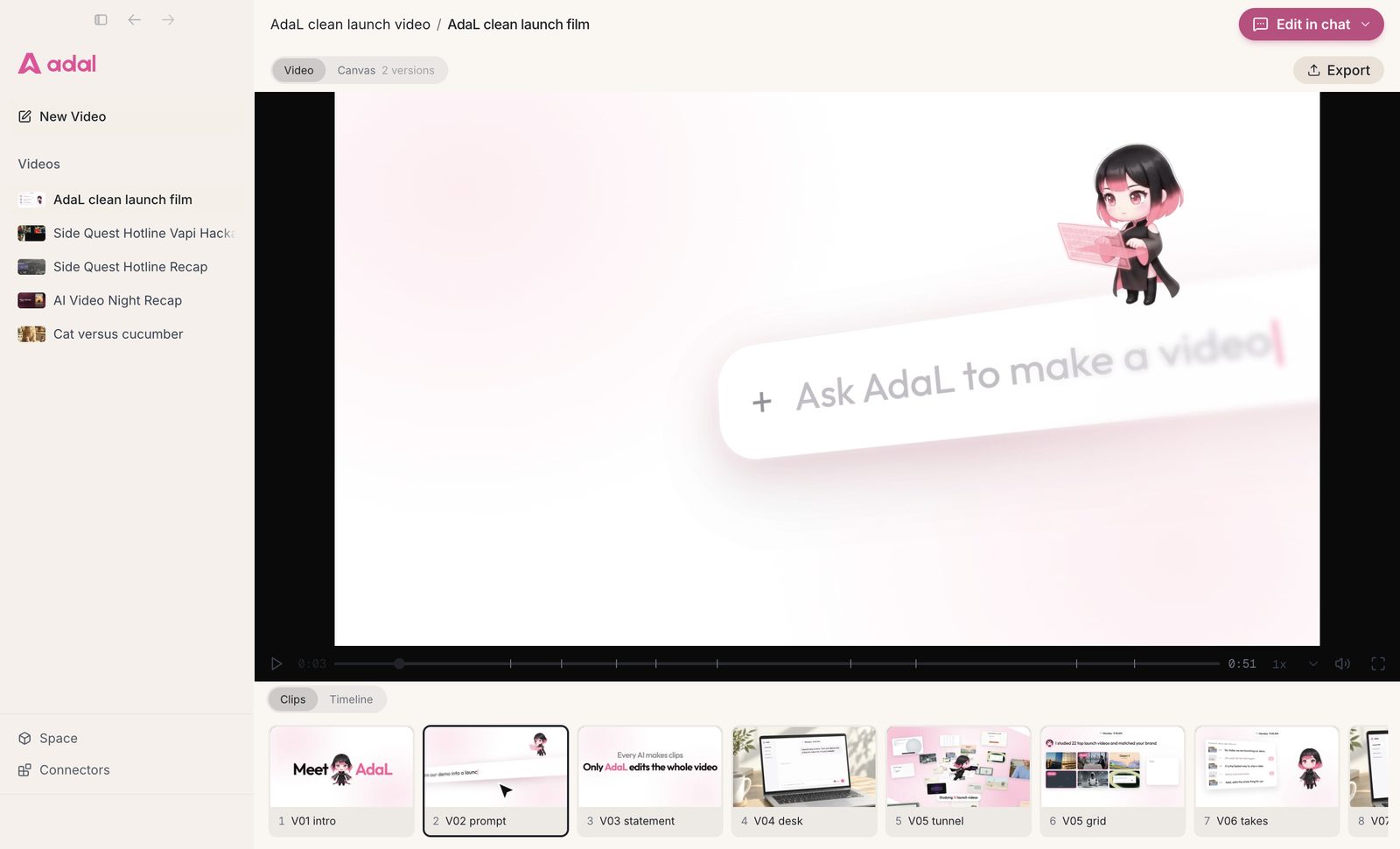
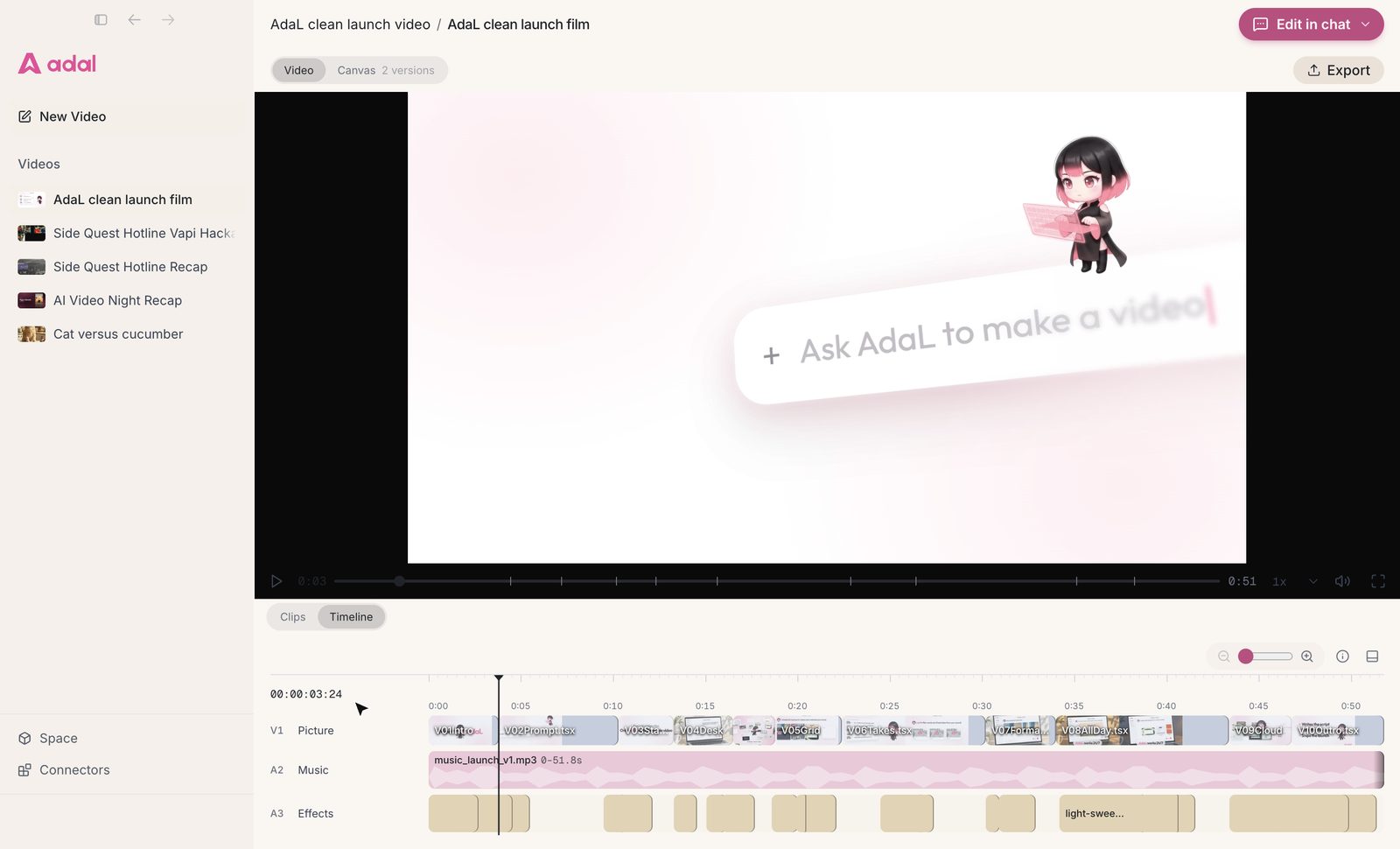
HyperFrames Studio shows the HTML composition with an inspector for elements. AdaL shows the video the way an editor would: clips, and a timeline with picture, music and effects tracks. You change it by asking in chat, not by editing HTML.
Every asset and every version in one place
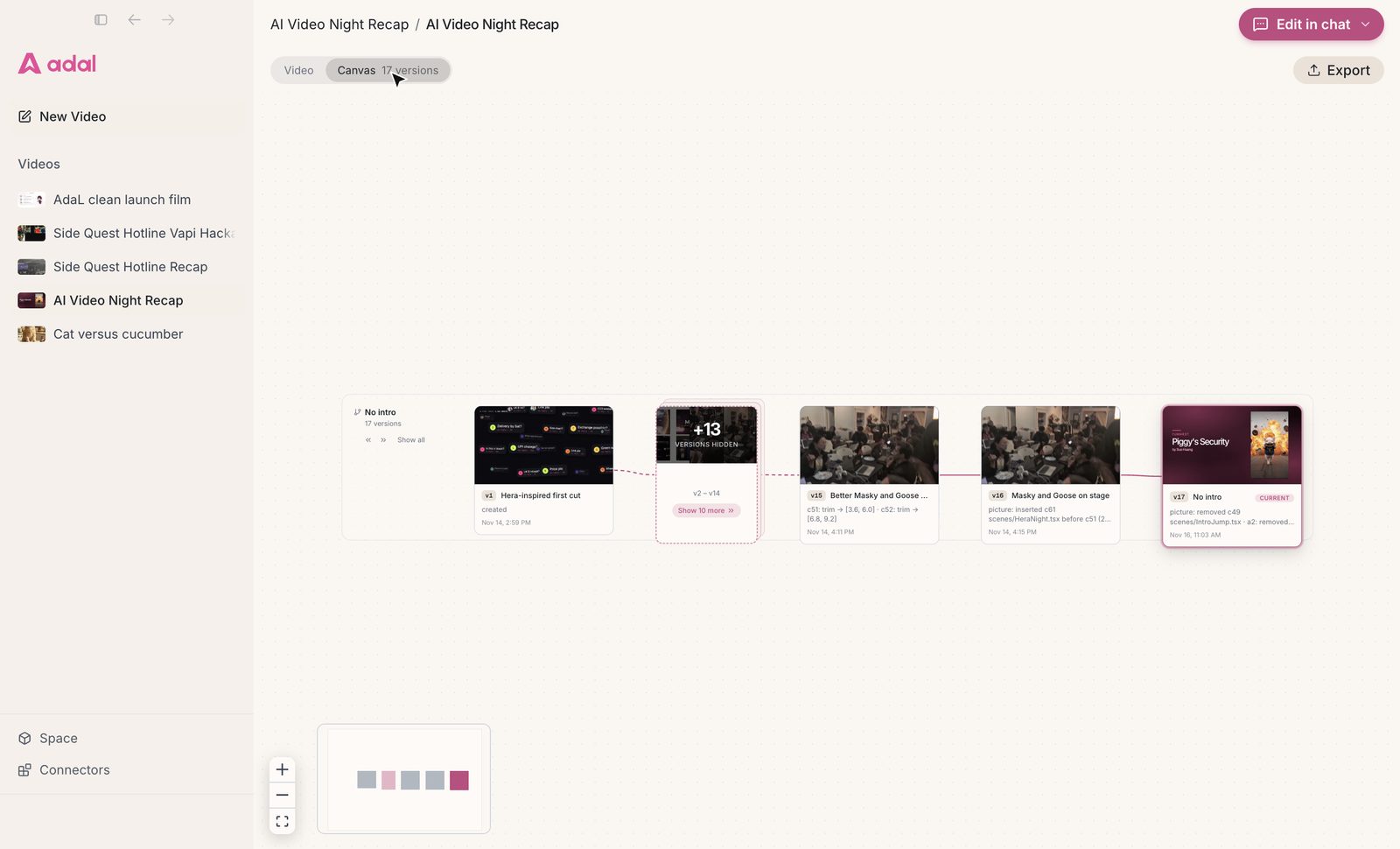
AdaL works in a folder on your computer, so every clip, image, voice and music file is a normal file you can open. Each cut is saved as a version, so you can compare the first cut with the current one, or go back.
Which one should you choose?
- Choose HyperFrames if you are a developer, you want videos as code you can version and template, and you already use a coding agent.
- Choose AdaL if you want to describe a video and get it made and edited for you, without a terminal, a separate agent subscription or a render step to wait on.
Conclusion
HyperFrames is an impressive open-source engine, and a good fit for developers building video into their own tools. AdaL is the finished product for everyone else: one app, one plan, an agent that makes the whole video, and an editing view you can understand at a glance. Try AdaL on your own footage.
Questions
Is HyperFrames free?
The framework is free and open source (Apache 2.0). You pay for the coding agent you use with it, or for HyperFrames Pro at $25 a month, which includes an agent and generation models.
Do I need to code to use HyperFrames?
Your agent writes the HTML, but the command line path needs Node.js 22, FFmpeg and a terminal, and the desktop app needs a connected agent. AdaL needs neither: you install it and describe the video.
How long does HyperFrames take to render?
It depends on length and your computer. A 10-second 1080p sample took 10.1 seconds on our M4 Pro MacBook, and HeyGen's docs cite about 16 seconds for a 12-second video. Each change needs a new render.
Can AdaL use my ChatGPT subscription?
Yes. You can sign in with your ChatGPT plan in AdaL and use it for the agent, next to the models in your AdaL plan.
Is AdaL a HyperFrames alternative?
For people who want a finished video rather than a video framework, yes. AdaL makes and edits the whole video in one app, with clips, a timeline and versions.
Try AdaL on your own footage
Start free. Describe the edit, and AdaL does the steps.