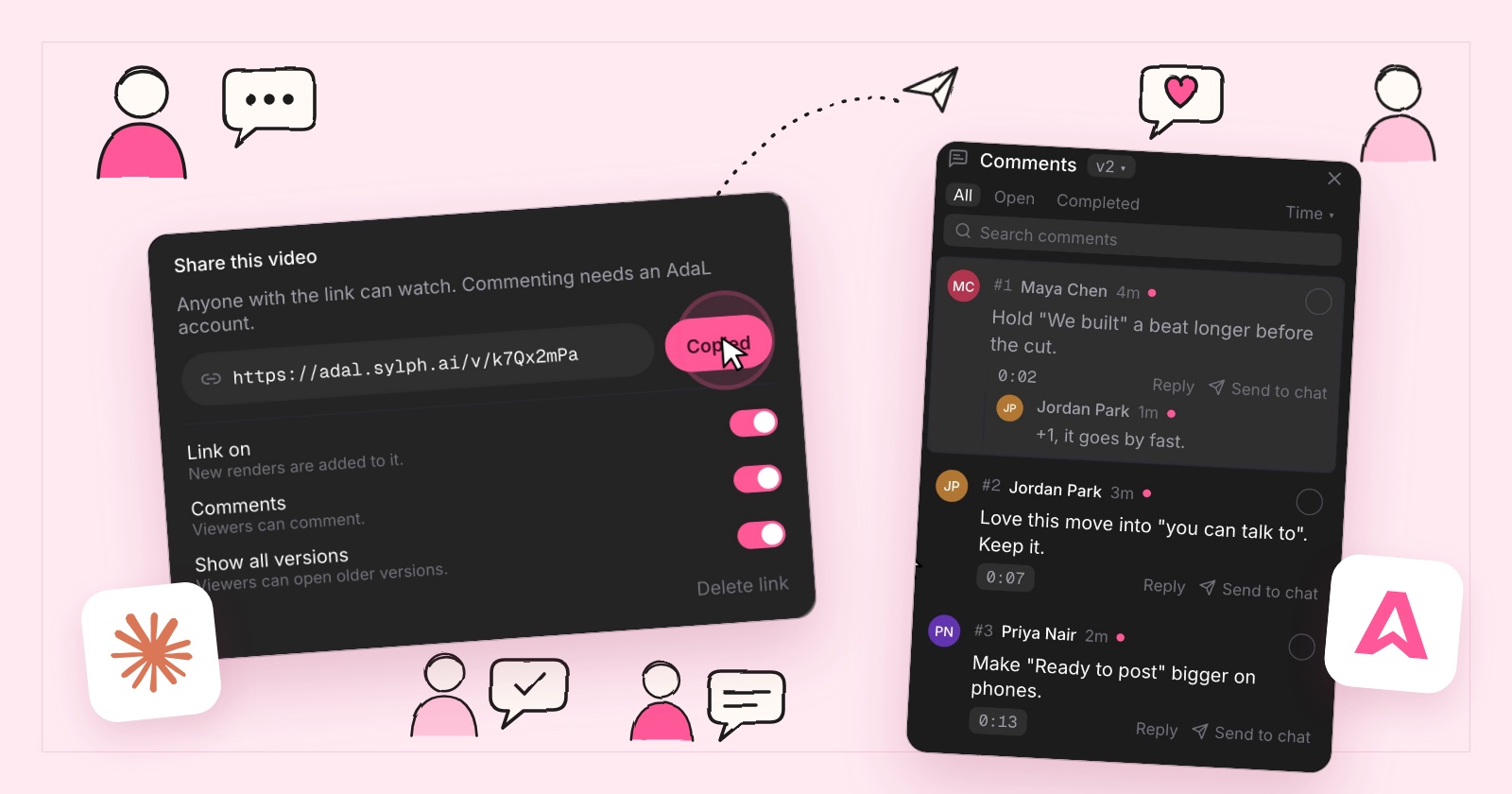
You can now share any video you made with AdaL as a link. The people you share it with can watch it, comment on the exact moment, and reply to each other, and you see every comment right inside AdaL Desktop. You can also bring your Claude Max or Ultra plan to AdaL with an API key in 3 short steps.
Share your videos
Click Share on any video in AdaL Desktop. AdaL makes a link to that version, and you copy it with one click.
- Anyone with the link can watch. No AdaL account needed to watch.
- Link on. New renders are added to the same link, so you never send a new one.
- Comments. Turn comments on or off for viewers.
- Show all versions. Let viewers open older versions too.
- Delete link. The link stops working right away.
Comments from your team
The people you share with can comment on the exact moment in the video, and reply to each other. Each comment shows up as a face on the timeline. Commenting needs an AdaL account.
Back in AdaL Desktop, the Comments button shows how many are new. Open it to read every comment and reply next to your video, jump to its moment, mark it done, or click Send to chat so AdaL makes the change for you.
Bring your Claude subscription
If you are on Claude Max or Ultra plans, you can use it in AdaL.
Your plan already includes monthly Claude API credits ($100 on Max, $200 on Ultra), so this costs nothing extra.

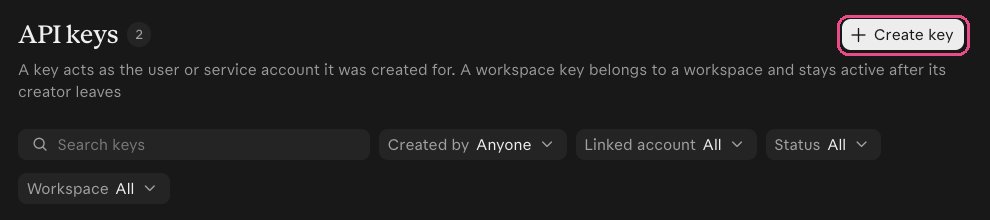
1. Open the Anthropic API console and click Create key.
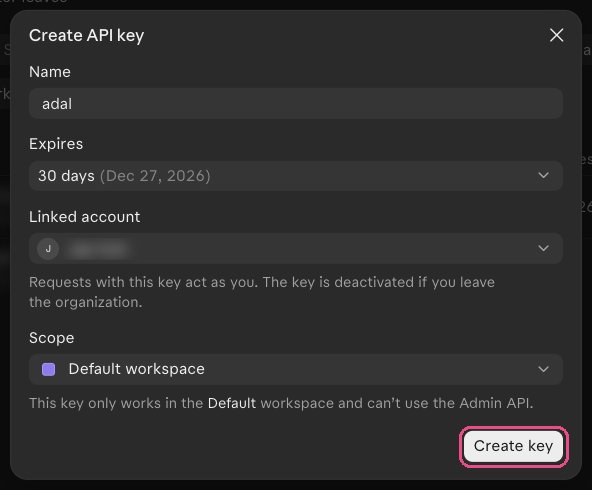
2. Name it, click Create key, and copy the key.
3. Paste it into AdaL Desktop.
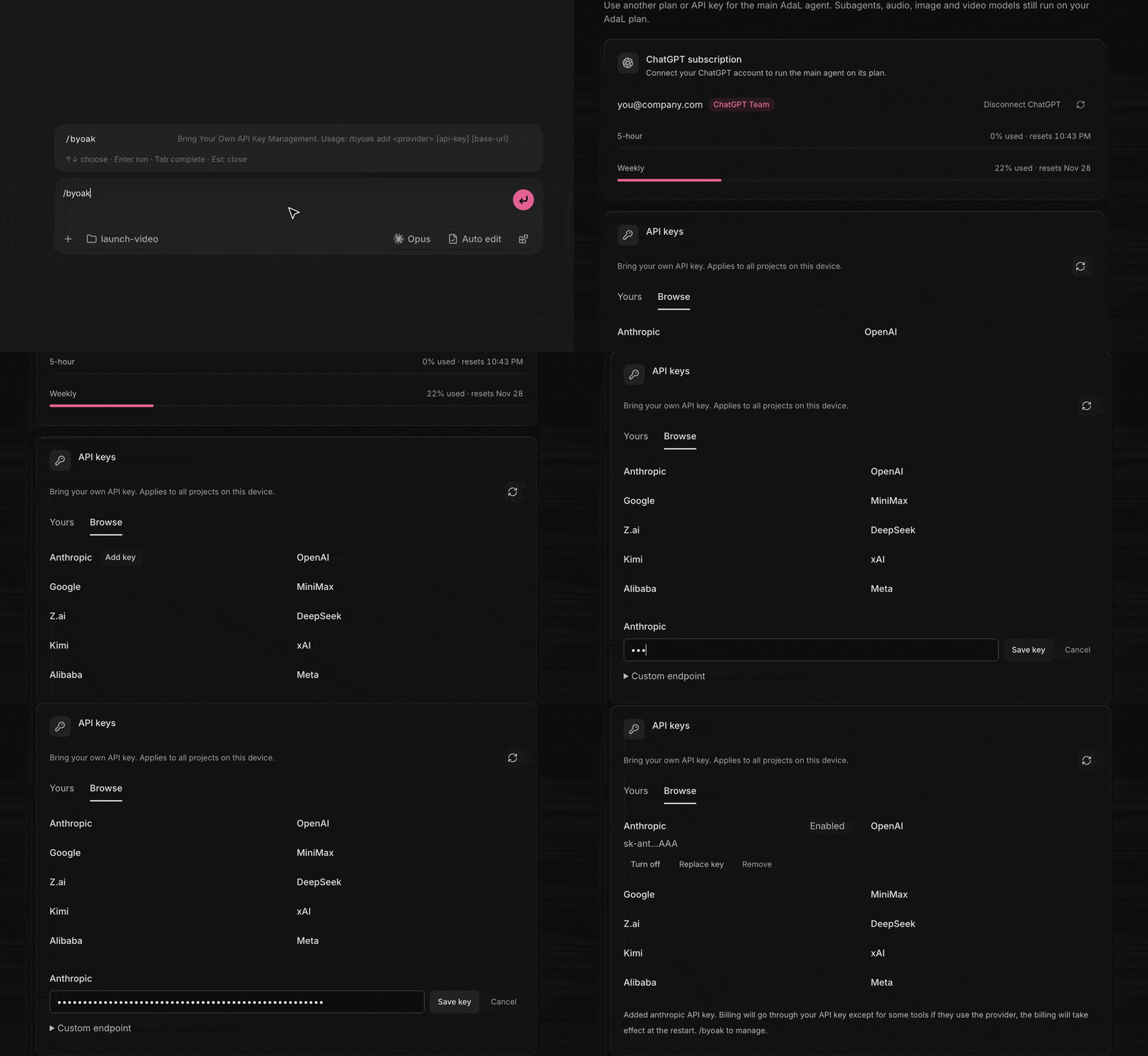
Claude models in AdaL then run on your own key, and everything else stays on AdaL. More in the BYOAK guide.
Try it out and tell us what you think. Download AdaL Desktop, or see what people made in the video library. More on Claude API credits for subscribers.
Questions
Do people need an AdaL account to watch a shared video?
No. Anyone with the link can watch. Commenting needs an AdaL account.
Where do I see comments on my shared video?
In AdaL Desktop, open the video and click Comments. Each comment shows its moment in the video, and Send to chat asks AdaL to make the change.
How do I use my Claude Max or Ultra plan in AdaL?
Create a key in the Anthropic API console, then paste it into AdaL Desktop with /byoak or in Settings under BYOAK. Claude models then run on your own key.
Try AdaL on your own footage
Start free. Describe the edit, and AdaL does the steps.